0 ratings





Item #:
116926652
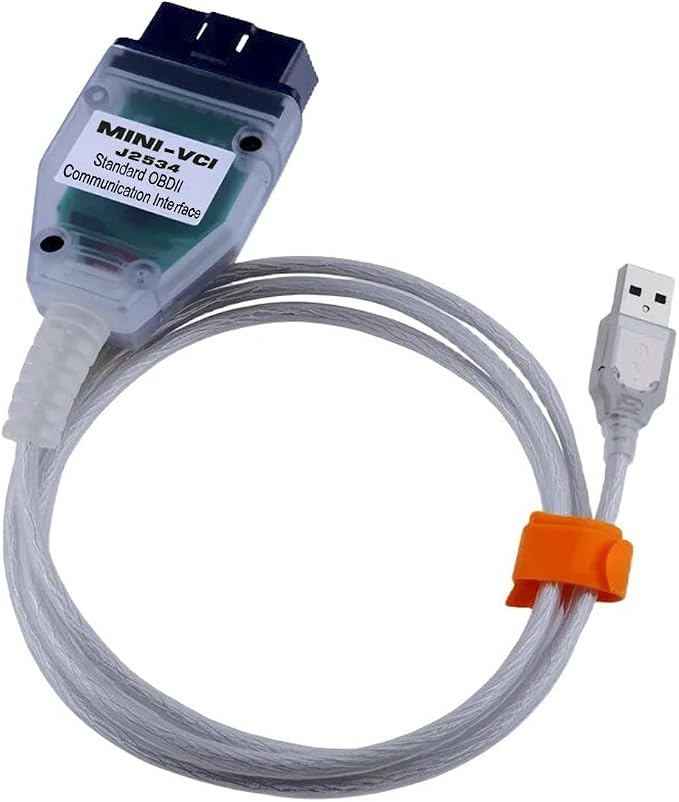
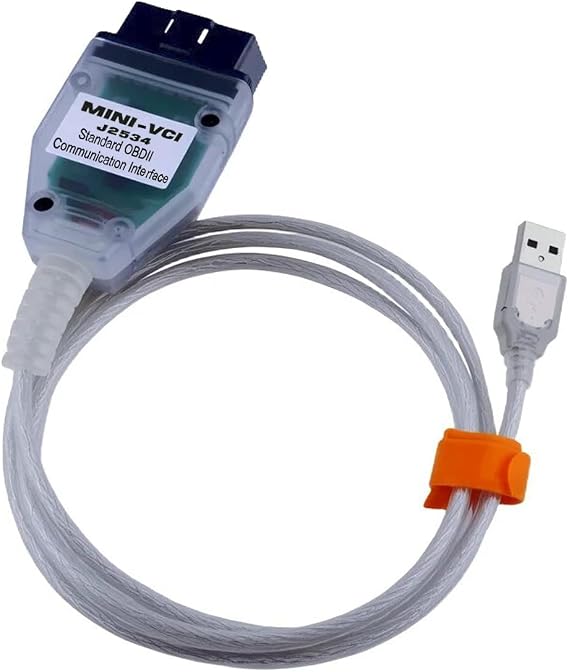
Mini VCI J2534 Cable(v18.00.008) for Toyota with Windows XP/7/10,Obdlink EX
Item #:
116926652
USD 48
Price Details
Excluding Shipping & Custom charges ( Shipping and custom charges will be calculated on checkout )
*All items will import from US
In stock
 Imported from USA store
QTY:
Order now and get it around Friday, August 21
Secured transaction
Ubuy works hard to protect your security and privacy. Our advanced payment security system ensures confidentiality by encrypting your information during transmission using AES (Advanced Encryption Standards) and SSL (Secure Socket Layer) protocols. Your payment details are 100% secure as we do not share your payment details with third party sellers.
Our Top Logistics Partners


Our car parts are easy to install. Even without professional skills, you can still use commonly used repair tools to complete the installation.

Fast
Shipping

Free
Return*

Secure Packaging

100% Original Products

PCI DSS Compliance

ISO 27001 Certified


What Stands Out
Wide Compatibility
Designed to work with multiple Windows versions, including XP, 7, and 10, providing flexibility for users with various operating systems.
Advanced Functionality
Equipped with the latest V1.4.8 firmware, this cable enhances diagnostic capabilities, ensuring accurate readings and effective vehicle management for Toyota enthusiasts.
Direct Match
Specifically matches Toyota TIS Techstream V16.00.017, making it an ideal choice for those seeking reliable and seamless vehicle diagnostics without compatibility issues.
Product Details
- Replace Part Number: for FCAN033JAP
- [Compatible with] Compatible More Vehicles, Supported Protocols:K-Line ISO 9141, KWP 2000 ISO 14230-4, SAE J1850 PWM, SAE J1850 VPW, CAN 2.0B ISO 11898, CAN ISO 15765-4
- [Package included] 1pc x MINI VCI 16Pin Cable 1pc x CD Driver1
- Widely Compatible, for VCI j2534 cable supports for TIS Techstream diagnostic software, and supports all the diagnostic communication protocols needed for Toyota since 1996. 【More Function】Programming , Coding,Diagnostics,Tuning,Resetting codes, Read and Clear Code,Flashing
- Install Note, Any installation problems, please contact us. The software cannot work with antivirus. The virus protector may notify it as“virus” by mistake. Please disable or uninstall the anti-virus software on your PC to make sure the diagnose software works normally.
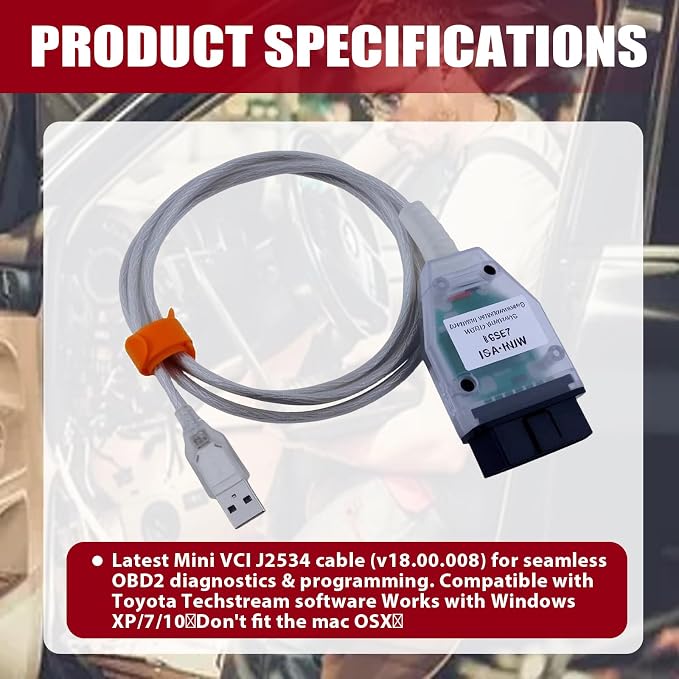
- Latest Mini VCI J2534 cable (v18.00.008) for seamless OBD2 diagnostics & programming. Compatible with Toyota Techstream software Works with Windows XP/7/10(Don't fit the mac OSX)
- [Note]This product is only applicable to Toyota models and comes with a CD,a CD reader is required when using the product
| Brand Name | wfsulee |
| Manufacturer | wfsule |
| Item Weight | 1 lbs (450 grams) |
Who Should Buy?

-
DIY Mechanics
Perfect for DIY enthusiasts looking to diagnose issues in Toyota vehicles using advanced software capabilities.
-
Professional Technicians
Ideal for automotive professionals requiring a reliable tool for OBD2 diagnostics on Toyota models.
-
Toyota Owners
A great choice for Toyota owners wanting to perform self-diagnostics and understand their vehicle's systems better.

-
Non-technical Users
Not suitable for users lacking technical knowledge or experience in handling diagnostic tools.
Product Description
Have any Query? Chat with us
Customer Questions & Answers
-
Question:
What is the Mini vci j2534 Cable v18.00.008 used for?
Answer: The Mini vci j2534 Cable v18.00.008 is a versatile OBD2 scanner adapter designed for vehicle diagnostics and reprogramming. It enables connection between your vehicle's computer system and a computer or diagnostic tool, allowing you to perform functions such as reading trouble codes, clearing fault codes, and performing reprogramming tasks. Its compatibility with GM Tech 2 and other vehicles makes it a valuable tool for both professionals and DIY enthusiasts who want to keep their vehicles running smoothly. -
Question:
Is the Mini vci j2534 Cable compatible with all vehicles?
Answer: The Mini vci j2534 Cable primarily supports vehicles that utilize the J2534 interface, which includes many GM vehicles and other OBD2 compliant cars. However, it’s important to check compatibility with your specific vehicle model beforehand. This cable is particularly useful for those working with GM vehicles and can support various diagnostic operations, making it a great addition to any car enthusiast's toolkit. -
Question:
Can I use the Mini vci j2534 Cable with my iPhone?
Answer: Yes, the Mini vci j2534 Cable can be utilized with your iPhone, provided you have the appropriate diagnostic software installed. This capability allows you to access real-time data and perform diagnostics through your mobile device, offering convenience for on-the-go diagnostics. Ideal for users who prefer using their smartphones for vehicle monitoring, this feature enhances the overall usability of the tool. -
Question:
What operating systems does the Mini vci j2534 Cable support?
Answer: The Mini vci j2534 Cable is compatible with Windows XP, Windows 7, and Windows 10. This broad compatibility ensures that most users can utilize the cable without needing to change their operating system. Having this flexibility enables individuals to run diagnostic software and perform vehicle checks across different systems, making it an excellent choice for workshops or home use where multiple computers may be in operation. -
Question:
What diagnostic functions can I perform with the Mini vci j2534 Cable?
Answer: With the Mini vci j2534 Cable, users can perform a range of diagnostic functions such as trouble code retrieval, live data monitoring, and service resets. This tool allows for extensive vehicle troubleshooting, helping users diagnose and resolve issues efficiently. Whether you're a professional mechanic dealing with various vehicles or a car owner wanting to address minor faults, this cable equips you with essential diagnostic capabilities. -
Question:
How do I install the Mini vci j2534 Cable drivers?
Answer: To install the Mini vci j2534 Cable drivers, simply connect the cable to your computer, and the system should automatically prompt you for driver installation. Follow the on-screen instructions to complete the setup. Alternatively, you can download drivers from the manufacturer’s website. Proper installation ensures that the cable communicates effectively with your diagnostic software, allowing for accurate readings and operations on your vehicle. -
Question:
Is the Mini vci j2534 Cable suitable for professional mechanics?
Answer: Absolutely, the Mini vci j2534 Cable is well-suited for professional mechanics and automotive technicians. Its capability to perform complex diagnostic functions and reprogramming makes it a reliable choice in a professional setting. When integrated into a mechanic's diagnostic toolkit, it provides essential support for troubleshooting various vehicle issues, thereby improving service efficiency and customer satisfaction. -
Question:
Can I use the Mini vci j2534 Cable for programming ECU?
Answer: Yes, the Mini vci j2534 Cable can be utilized for ECU programming as it supports J2534 reprogramming protocols. This feature is essential for updating or replacing vehicle control modules, providing professionals with the ability to refresh software and resolve issues related to performance or functionality. Especially beneficial for automotive repair shops, this cable can play a crucial role in modern vehicle repair workflows. -
Question:
What additional tools do I need with the Mini vci j2534 Cable?
Answer: To effectively use the Mini vci j2534 Cable, you will need diagnostic software compatible with J2534 protocols. Some of the popular options are Tech 2 software or OEM-specific tools depending on your vehicle make. Additionally, having a laptop or desktop computer with the appropriate operating systems will facilitate the usage of the cable. This combination equips users to perform comprehensive vehicle diagnostics and repairs. -
Question:
Where can I buy the Mini vci j2534 Cable v18.00.008?
Answer: You can buy the Mini vci j2534 Cable v18.00.008 from Ubuy. Ubuy offers a wide selection of automotive diagnostic tools, including the Mini vci cable. When purchasing from Ubuy, you can ensure that you are getting a reliable product along with excellent customer service to assist with any inquiries you might have.
wfsulee Code Readers & Scan Tools Editorial Review
No editorial reviews found
Customer Reviews & Ratings
16 customers ratings
-
5 Star
30%
-
4 Star
0%
-
3 Star
16%
-
2 Star
11%
-
1 Star
43%
Review this product
Share your thoughts with other customers
Pros
- High compatibility with Toyota models
- Easy to use for diagnostics
- Fast and reliable performance
- Regular updates available for software
- Excellent customer support
Cons
- May require additional software setup.
Platform Trust & Buyer Confidence

MA
Mohammad
Verified buyer
“Excellent quality and original too,when ubuy send original things I will appreciate that ,I very satisfied thank you”
23 July 2026 · via Trustpilot
CK
Chitra
Verified buyer
“The order and delivery progress was communicated very well. Package arrived within the estimated time. Products arrived as expected in good condition.”
22-Jul-26 · via Trustpilot
K
kund
Verified buyer
“Good supply of products. Safe payment methods, and shipment worldwide! Genuine products.”
23-Jul-26 · via Trustpilot
OO
Onesi
Verified buyer
“Was my first time buying a product from Ubuy, but I found it so helpful. This is reliable. Gonna place a new order!”
22 July 2026 · via Trustpilot
SJ
SAO JOHN
Verified buyer
“Ubuy is a great online platform to buy stuff. Reliable, fast delivery time and great value for money. I've been using Ubuy online shopping platform for three years now and will continue to do so.”
23 July 2026 · via Trustpilot
Secure Checkout
Global Delivery
Easy Returns
Genuine Products
Product Price History
Important information
- Limitations : For products shipped internationally, please note that any manufacturer warranty may not be valid; manufacturer service options may not be available; product manuals, instructions, and safety warnings may not be in destination country languages; the products (and accompanying materials) may not be designed in accordance with destination country standards, specifications, and labeling requirements; and the products may not conform to destination country voltage and other electrical standards (requiring use of an adapter or converter if appropriate). The recipient is responsible for assuring that the product can be lawfully imported to the destination country. When ordering from Ubuy or its affiliates, the recipient is the importer of record and must comply with all laws and regulations of the destination country.
- Not all the products listed on Ubuy are for sale, as Ubuy is a global search engine. Products are subject to export/trade regulations.
USD 48
Order now and get it around Friday, August 21
This item is not restrict in my country.(Please click on above link if this item is not restrict in your country, So our team will review and allow.)
QTY:
Secured transaction
PCI DSS compliant and ISO 27001:2022 certified, with encrypted payments and full buyer protection on every order.
Our Top Logistics Partners
Fastest cross-border delivery
Features & Benefits
- Compatible with Toyota TIS Techstream V16.00.017.
- Includes VCI J2534 Cable for seamless connectivity.
- Easy to install without needing professional skills.
- Made of high-quality, durable materials for long-lasting use.
- Supports multiple Windows versions: XP, 7, and 10 (32/64 bit).
- Professional customer service available for installation support.
Ubuy Assurance
Experience worry-free shopping with 100% original products, PCI DSS-compliant payment security, ISO 27001-certified data protection, the fastest cross-border delivery, free returns *, and secure packaging on every order.